Product

Everything equipment maintenance needs - in one system

From QR request to monthly report. Mobile app for technicians, web for managers, PDF for directors.

01

QR requests without sign-up

Every device has a QR sticker. A nurse, housekeeper or operator scans it with the phone camera and sends a request - no app download, no password.

  • Device and location fill in automatically
  • Photo and voice message instead of text
  • If a request is already open, its status is shown
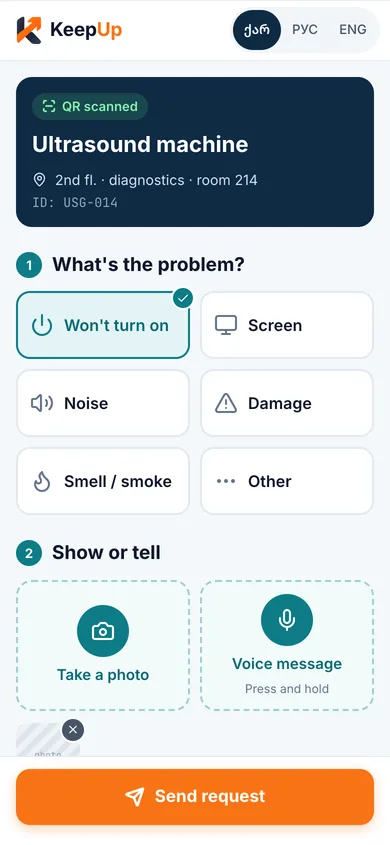
The public QR request form
02

Technician mobile app

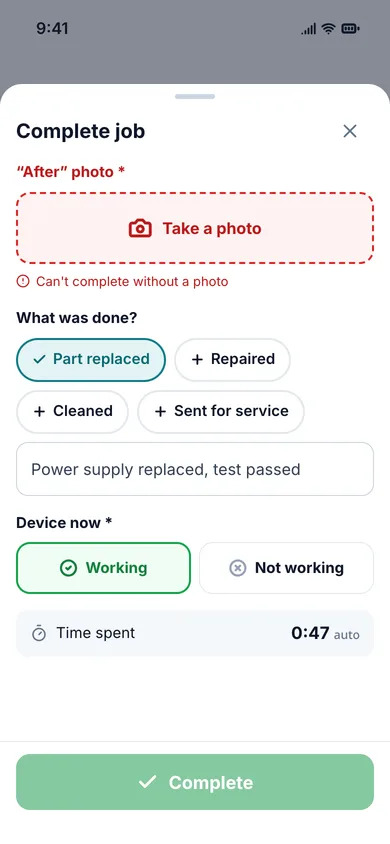
Technicians see their tasks and device history and work one-handed. The app works offline - actions queue up and sync when the connection returns.

  • Offline mode in basements and plant rooms
  • Before / after photos and what was done
  • “Device now”: working / not working
Technician app: finishing a job
03

Real-time manager dashboard

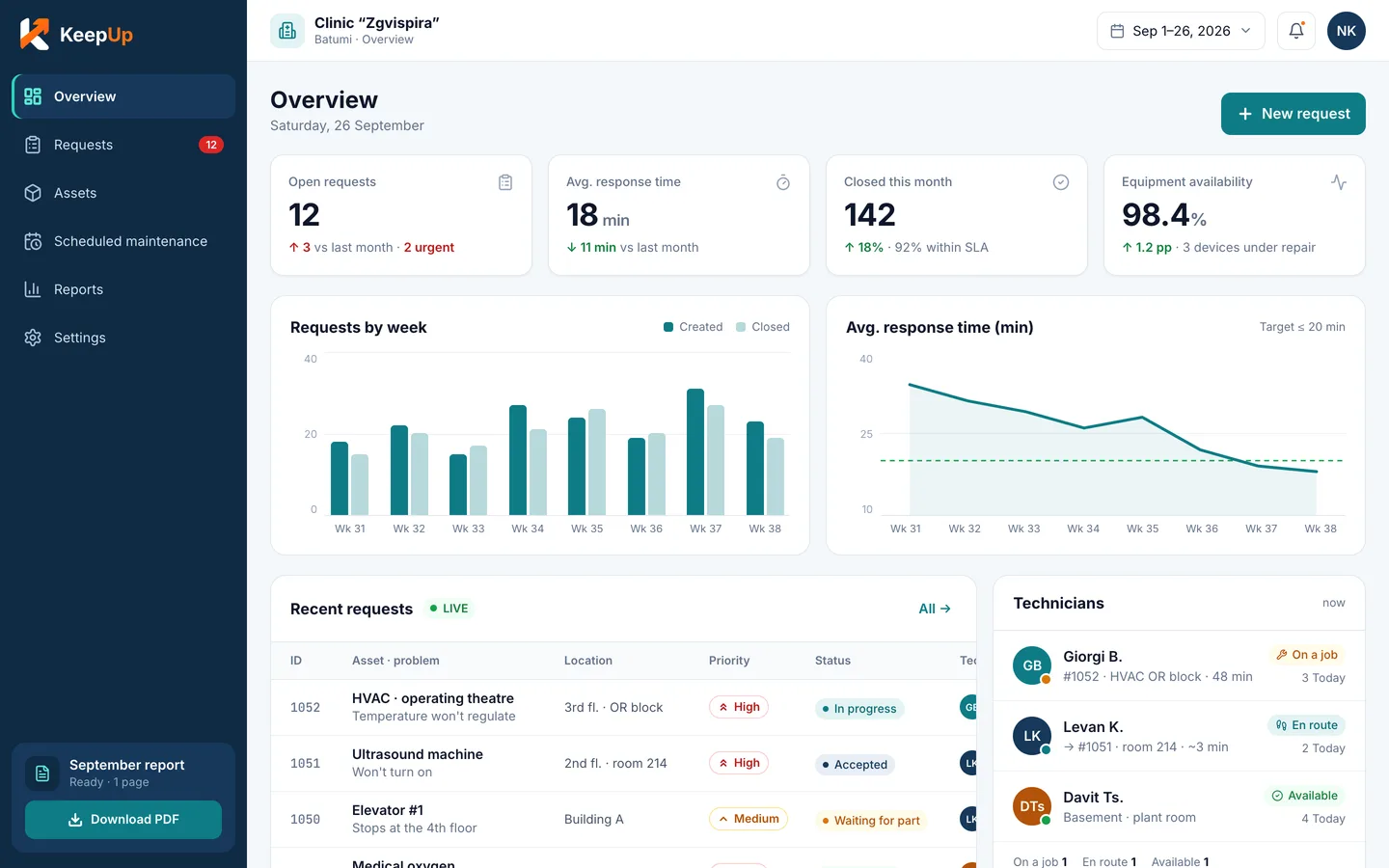
All open requests, priorities, who's working and for how long - on one screen. Assignment, filters and history on web and mobile.

  • KPIs: response and repair time
  • Assign a request in two clicks
  • Full asset history
Manager dashboard
04

Critical equipment availability and downtime

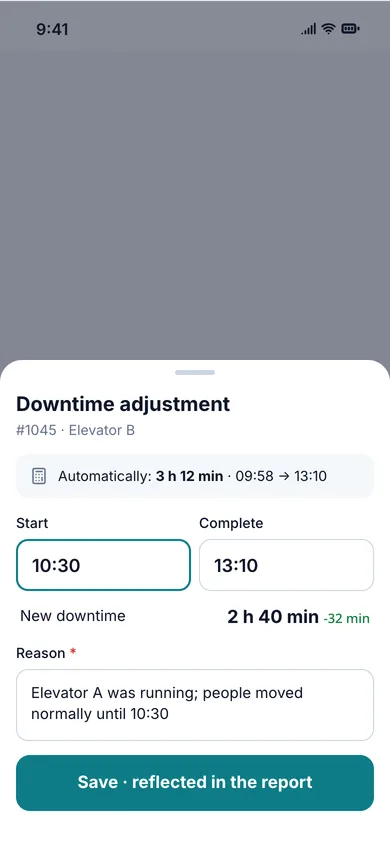
Mark critical devices and KeepUp shows how long each was down. Downtime counts from the request until “device working” is confirmed.

  • Availability % per device and category
  • Manual downtime adjustment with a reason
  • Trends by month
Downtime and availability in the mobile app
05

Scheduled maintenance and checklists

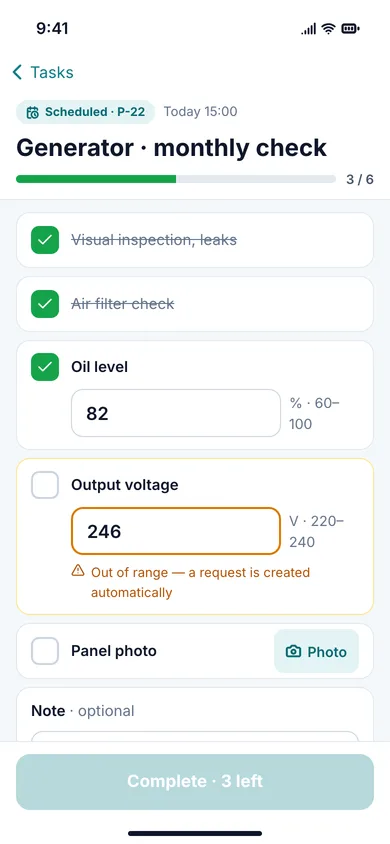
Schedule service weekly, monthly or quarterly. The technician gets a task with a checklist and leaves a note on each item.

  • Recurring schedule per device
  • Checklist: yes/no, number, text and photo
  • Overdue service alerts
A scheduled job's checklist
06

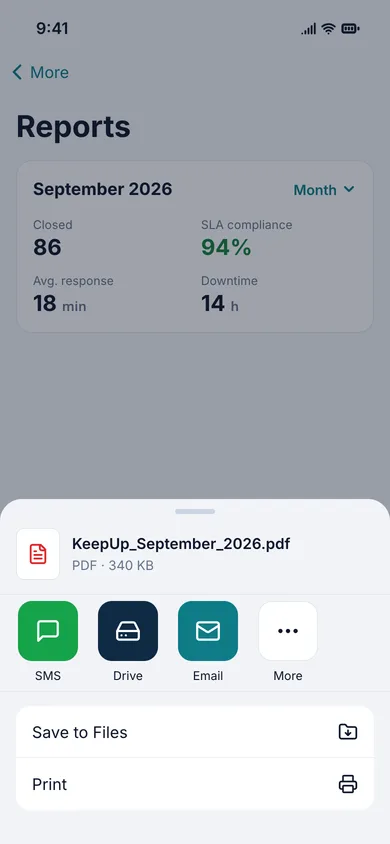
Monthly PDF report for the director

When the month ends, a short, clear report is ready for the director: how many requests, how fast they were closed, which equipment stops most often.

  • An official version on the 1st of every month, automatically
  • Inspection-ready service history
  • PDF download on the web and in the app
The monthly report in the mobile app
07

SMS and push notifications

Push is the main channel and goes first. SMS is the fallback: it goes out when push can’t reach someone, and to managers on escalation. The admin picks per priority: only as fallback, always or never.

  • Rules by priority and role
  • Monthly SMS usage and limit
  • Sign-in and recovery by SMS code
Push · KeepUpnowZgvispira · new request #1042Ultrasound Mindray DC-70 · high
SMS · KeepUp1 minZgvispira: new request #1041 (critical) - zgvispira.keepup.ge/w/1041
Rule · adminCritical → push to all, SMS as fallback
08

Multiple branches - one workspace

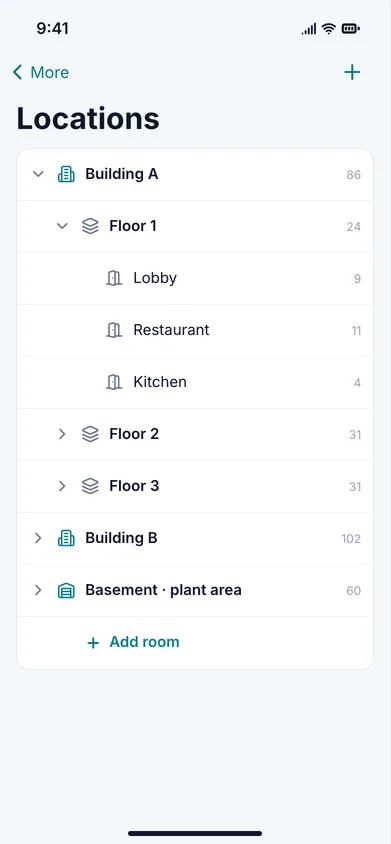
One company = one KeepUp workspace ({slug}.keepup.ge). Branches are added as locations - building → floor → room. The director sees all branches together and filters by branch.

  • Location tree: building → floor → room
  • Filter requests by branch and location
  • Every category has its own technician
The locations tree in the mobile app
09

Import assets from Excel and print QR labels

Upload your existing Excel list - KeepUp creates assets, locations and categories. Then print QR labels on a standard sheet.

  • Automatic column detection
  • Labels on A4 sheets, in several sizes
  • Our team does this during setup
10

Roles: technician, manager, admin, director

Everyone sees only what they need. The director has full visibility without edit rights.

  • Roles are set per workspace
  • Invite and deactivate from admin
  • Every step of a job is in its history
TechnicianTasks, completion, offline mode
ManagerAssignment, KPIs, scheduled, reports
AdminUsers, locations, SMS rules
DirectorFull view, read-only

Mobile app - coming soon to the App Store and Google Play

Download on theApp StoreSoonGet it onGoogle PlaySoon
Get a quote